
Supported Projects
Proton Drive GUI for Linux
A lightweight, unofficial desktop GUI for Proton Drive that brings the official Proton Drive CLI into a native Linux desktop application.
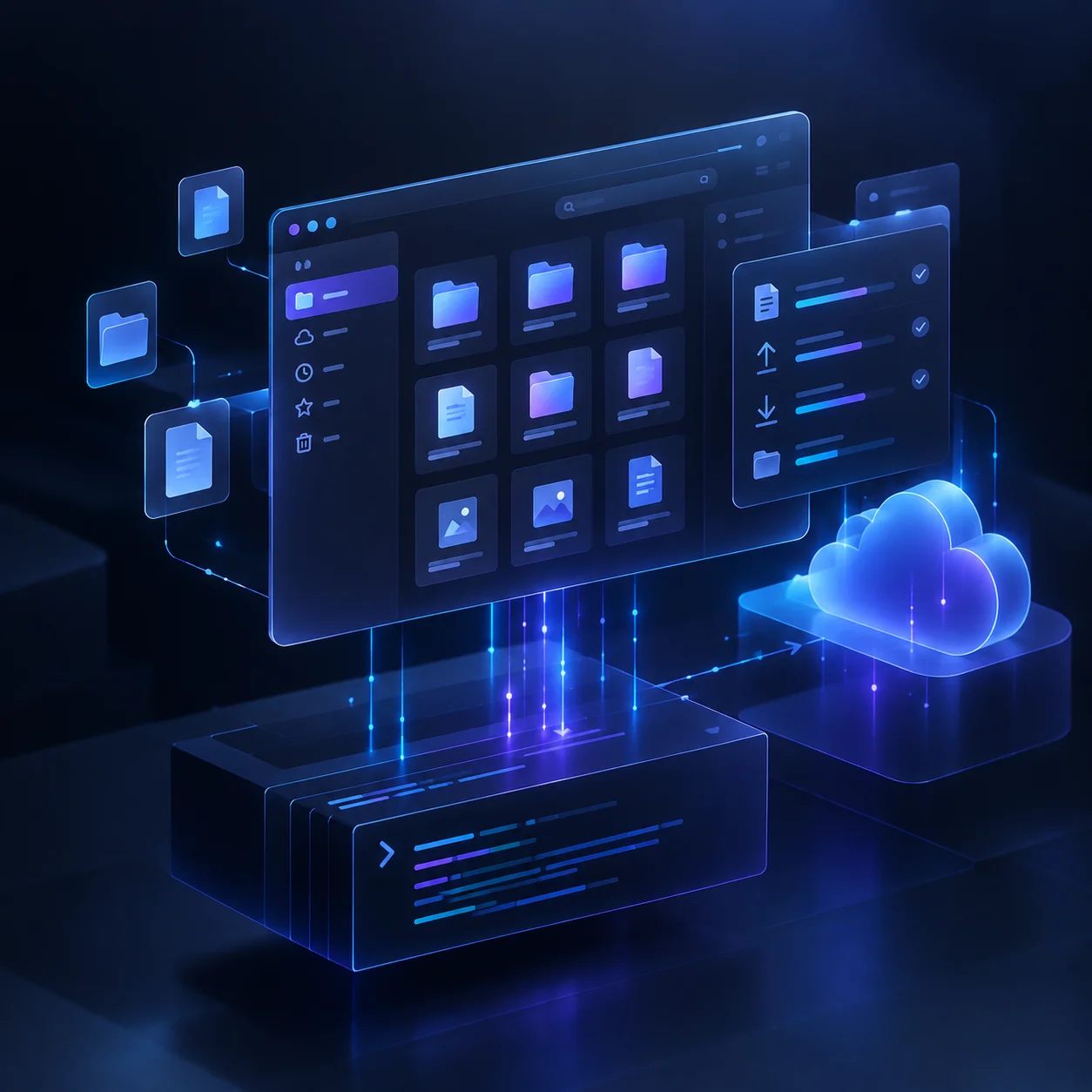
Proton Drive GUI is a privacy-focused desktop interface built around Proton's official proton-drive command-line client.
The goal is simple: provide a practical graphical interface for everyday Proton Drive file management without reimplementing Proton's protocols, authentication, or encryption.
Unofficial third-party project. Not affiliated with Proton AG.
The application delegates authentication and Proton Drive operations to the official CLI, while the GUI focuses on navigation, file management, and desktop usability.
Features
File Management
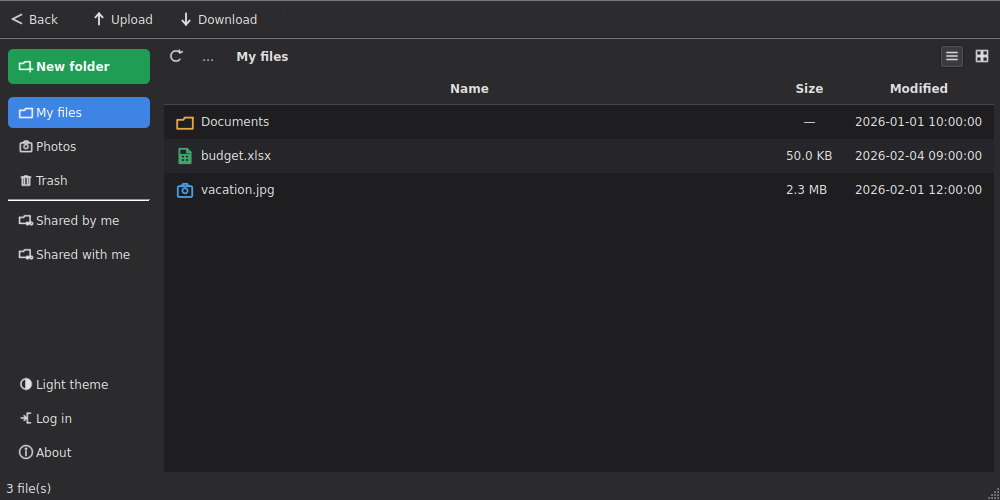
- Browse My files
- Browse Photos
- Browse Trash
- Browse Shared by me
- Browse Shared with me
- Create folders
- Rename files and folders
- Move items to Trash
- Restore deleted items
- Permanently delete items
- Empty Trash
- Upload files and folders
- Download files and folders
- Drag & drop uploads
- Live upload/download progress
Desktop Interface
- Native PySide6 / Qt interface
- Sidebar navigation
- Breadcrumb navigation
- List and grid views
- Color-coded file type icons
- File and folder properties
Go to path...navigation- Context menus
- Styled dialogs and progress indicators
- Dark theme support
- Desktop launcher integration
- Portable AppImage packaging
Authentication
Authentication is handled by the official Proton Drive CLI.
The GUI does not implement its own Proton authentication system or handle Proton credentials directly. Login is performed through:
proton-drive auth loginThe official CLI opens the browser for authentication and stores the resulting session using the operating system's secret store.
Privacy & Security
The application is intentionally designed as a thin GUI layer around the official Proton Drive CLI.
It does not:
- reimplement the Proton Drive protocol
- implement its own encryption
- handle Proton passwords directly
- replace Proton's authentication system
- send user files to a third-party service
The GUI communicates with the local proton-drive binary and displays the results in a desktop interface.
This approach keeps security-critical Proton Drive functionality inside the official Proton software rather than attempting to reproduce it in the GUI.
Architecture
┌──────────────────────────────┐
│       Proton Drive GUI       │
│         PySide6 / Qt         │
└──────────────┬───────────────┘
               │
               ▼
┌──────────────────────────────┐
│       CLI Integration        │
│          gui/cli.py          │
│  JSON normalization + calls  │
└──────────────┬───────────────┘
               │
               ▼
┌──────────────────────────────┐
│   Official Proton Drive CLI  │
│       proton-drive           │
└──────────────┬───────────────┘
               │
               ▼
┌──────────────────────────────┐
│         Proton Drive         │
└──────────────────────────────┘
The GUI and CLI integration layers are deliberately separated.
gui/main_window.py handles the desktop interface, while gui/cli.py handles interaction with the official command-line client and normalizes variations in its JSON output.
JSON Compatibility
The Proton Drive CLI supports JSON output, but its output schema is not currently exposed as a single stable documented contract.
The GUI therefore normalizes common field-name variations such as:
name/Namesize/Size- other equivalent fields returned by different CLI versions
This keeps the GUI more tolerant of changes in the CLI output.
Installation
One-shot installer
The recommended installation method is:
git clone https://github.com/al3xg0r/protondrive-gui.git
cd protondrive-gui
./install.sh
The installer:
- installs required system packages
- downloads and verifies the official Proton Drive CLI
- creates the Python environment
- installs the GUI
- creates a desktop launcher
After installation, authenticate once:
proton-drive auth loginThen launch Proton Drive GUI from the application menu.
AppImage
An AppImage can be built with:
./build-appimage.shThe resulting application is packaged as a portable AppImage.
The official proton-drive CLI is still required separately and must be available on PATH.
Flatpak and Snap packages are intentionally not provided.
Technology Stack
- Python 3.10+
- PySide6
- Qt
- Official Proton Drive CLI
- Linux
- PyInstaller
- AppImage
- Open Source
Known Limitations
Linux only
The project is currently built and tested on Linux.
PySide6 itself is cross-platform, but Windows and macOS are not currently tested or supported.
No account information or storage quota
The official CLI currently does not expose commands for retrieving:
- account name
- account email
- storage quota
The GUI therefore cannot display this information.
No real image/video thumbnails
The Photos view displays filenames, sizes, media types, and icons, but does not download full files just to generate thumbnails.
The CLI does not currently expose a lightweight thumbnail-fetch command.
Upload/download progress
Progress is currently parsed from the CLI's live spinner output because the CLI does not provide a documented JSON progress format.
This makes progress reporting inherently best-effort and potentially sensitive to future CLI changes.
Shared content
Shared by me and Shared with me are available, but some operations are intentionally disabled there until their behavior can be confirmed safely.
For example, rename/delete/restore actions are not exposed in shared views because those operations may have different semantics for content that the current user does not own.
Sharing management
Browsing shared content is supported, but management actions such as invitations, removing shares, and share URLs are not implemented yet.
Why This Project Exists
Proton Drive provides an official command-line client, but a CLI is not always the most convenient way to manage files on a desktop.
Proton Drive GUI fills that gap without trying to become another independent Proton Drive implementation.
The project keeps the architecture deliberately thin:
Proton handles Proton Drive. The CLI handles the protocol and authentication. The GUI handles the desktop experience.
This keeps the application lightweight while avoiding unnecessary duplication of security-critical functionality.
Open Source
The project is developed openly on GitHub and welcomes issues, feedback, and pull requests.
The GUI layer and CLI wrapper are kept separate so that most changes can be made without tightly coupling the entire application.
Links
Proton Drive GUI Lightweight desktop access to Proton Drive — without the terminal.