
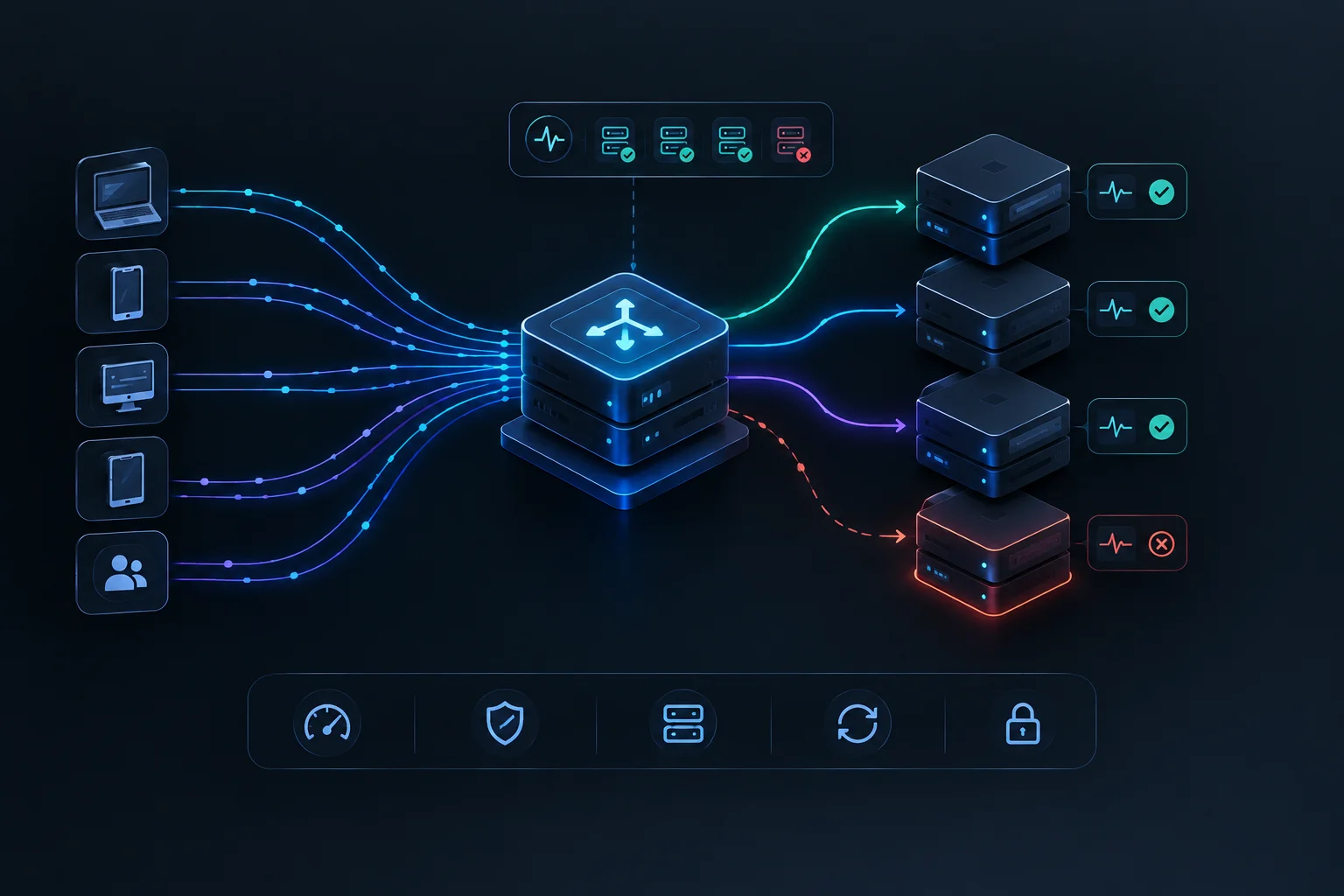
Load Balancers Explained: How Traffic Distribution Keeps Web Apps Online
What happens when millions of users visit a website at the exact same second? Discover load balancers - the traffic cops that scale web applications and prevent crashes.
Imagine arriving at a popular supermarket on a Saturday morning with 50 open checkout registers.
If the store manager forced every single shopper to queue up at Register #1 while Registers #2 through #50 sat completely empty, chaos would ensue. The single cashier would get overwhelmed, the line would stretch out the door, and customers would abandon their carts in frustration.
Instead, a store greeter acts as a coordinator, directing shoppers to whichever checkout lane is currently open and least crowded.
In web infrastructure, that coordinator is known as a Load Balancer.
The Problem: Single Point of Failure and Server Overload
When a successful web application grows, a single web server cannot handle millions of simultaneous user requests. Its CPU will max out, memory will exhaust, and the server will eventually crash.
- Vertical Scaling (The Bigger Box): You can upgrade your server to a larger machine with more RAM and CPU. But hardware has physical limits, and if that single machine fails hardware, your entire website goes offline.
- Horizontal Scaling (The Server Cluster): Modern applications run across dozens or hundreds of identical servers (a cluster). But how do user browsers know which server to talk to?
That is where a load balancer steps in to bridge the gap.
What Is a Load Balancer?
A Load Balancer is a dedicated hardware device or software service that sits between incoming client traffic (users browsing your app) and your backend server cluster.
It acts as the single point of contact for your domain name, receiving every request and intelligently distributing them across multiple backend servers.
Core Load Balancing Algorithms
How does the load balancer decide which server receives the next request? Engineers use several routing algorithms:
1. Round Robin
Requests are distributed sequentially down the line. Request 1 goes to Server A, Request 2 goes to Server B, Request 3 goes to Server C, and then it loops back to Server A. Simple and effective when servers have equal computing power.
2. Least Connections
The load balancer checks which server currently has the fewest active connections and routes the new user there. This is ideal for applications where some requests take much longer to process than others (like video streaming or heavy database queries).
3. IP Hash
The load balancer computes a mathematical hash of the user's IP address. This ensures that a specific user is always routed to the same backend server, which is crucial for maintaining session data if the app stores temporary state locally.
Why Load Balancers Are Essential for Reliability
Beyond distributing traffic, load balancers provide critical infrastructure superpowers:
1. High Availability & Health Checks
Load balancers constantly ping backend servers to check their health. If Server B crashes or catches fire, the load balancer automatically stops sending traffic to it within milliseconds, routing 100% of users to healthy servers (Server A and C) with zero downtime.
2. Seamless Maintenance & Zero-Downtime Deploys
When engineers need to push a software update, they can take servers offline one by one behind the load balancer, update them, test them, and bring them back online without ever interrupting users.
3. SSL Termination & Security
Load balancers can handle heavy cryptographic SSL/TLS handshakes and decrypt incoming HTTPS traffic, freeing up your backend application servers to focus entirely on business logic.
The Backbone of Scalable Web Architecture
Load balancers turn fragile single-server setups into resilient, high-capacity web systems. By acting as intelligent traffic cops, they ensure that applications stay fast, reliable, and online no matter how many users show up at the virtual door.